
Variant CoFE
You can use msg.Variant CoFE from all devices. It is possible to open the configurator via the Fiori App Dashboard, the sales order directly or via the URL. msg.Variant CoFE adopts all settings from the configuration of the SAP system.
Access from Sales Document
You can select the configurable material in the sales order. After your input, a pop-up window is displayed asking whether the configuration should be done with the “Modern” or “Classic” configuration. In the “classic” configuration, the material is configured in the SAP Backend. In the “modern” configuration, the system redirects you to the msg.Variant CoFE.
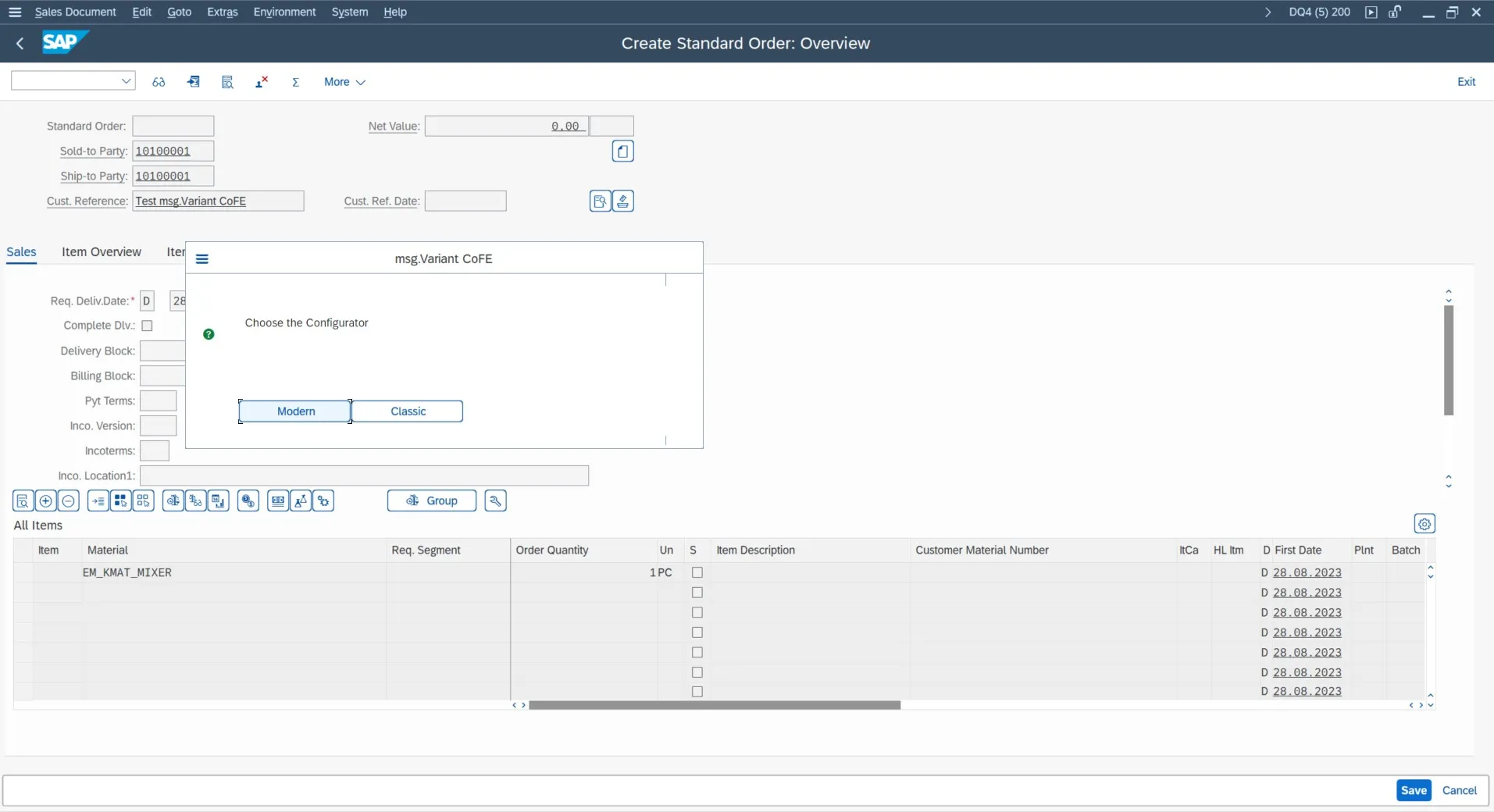
msg.Variant CoFE – Access from the Sales Document
Valuation of the Configurable Material
After opening the msg.Variant CoFE, you can configure the characteristic. Depending on the layout, you can configure the characteristic from group to group. Mandatory fields are marked with a red *.
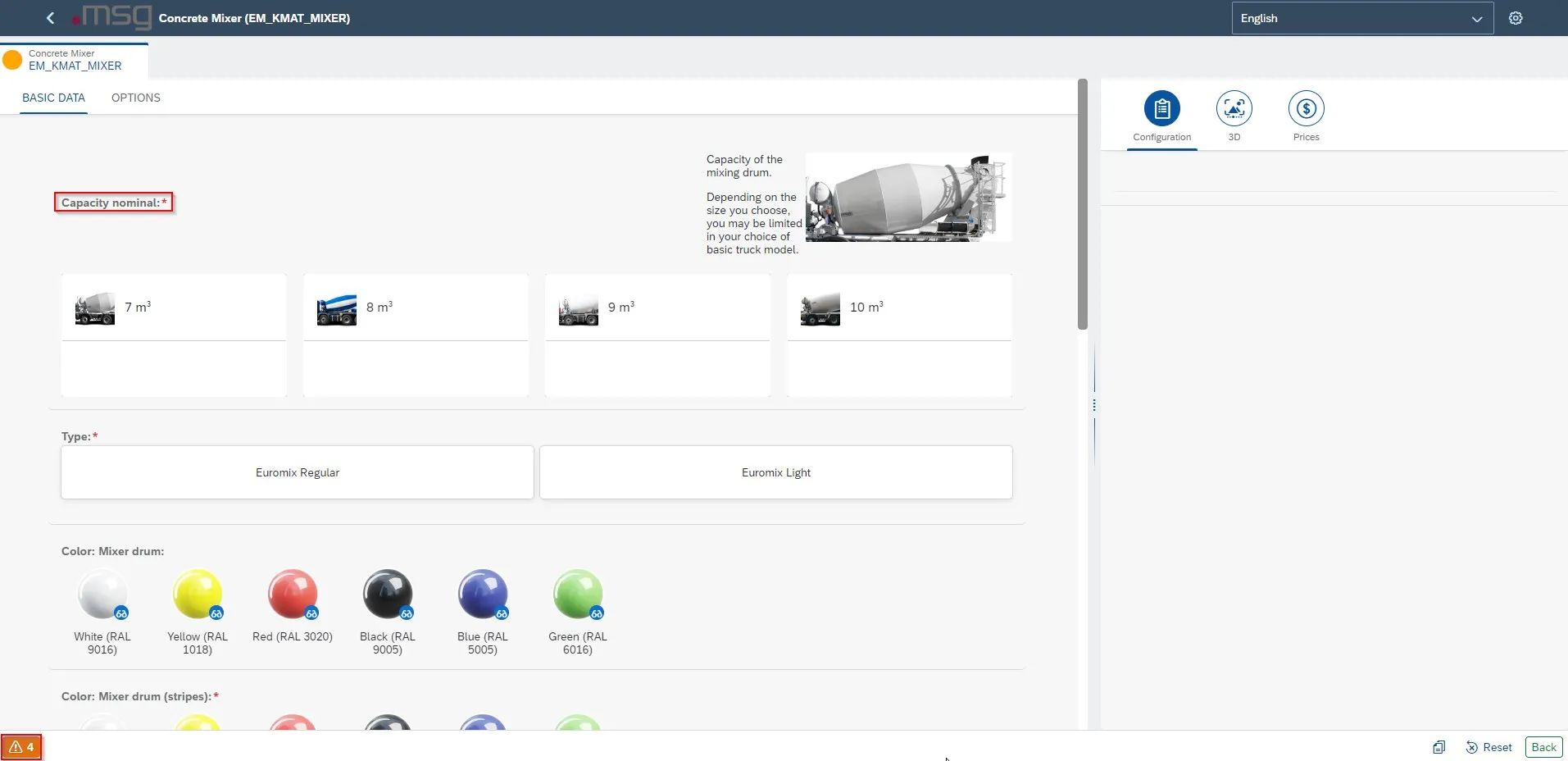
msg.Variant CoFE – KMAT Configuration
Notes are indicated by the icon in the lower left corner of the configurator. Clicking on them opens a window in which a detailed list of messages is displayed.
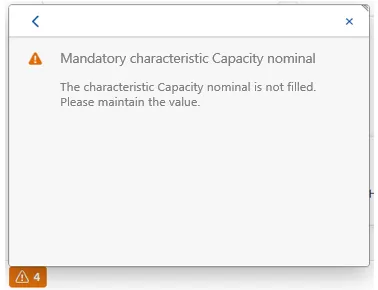
msg.Variant CoFE – Display Information Messages
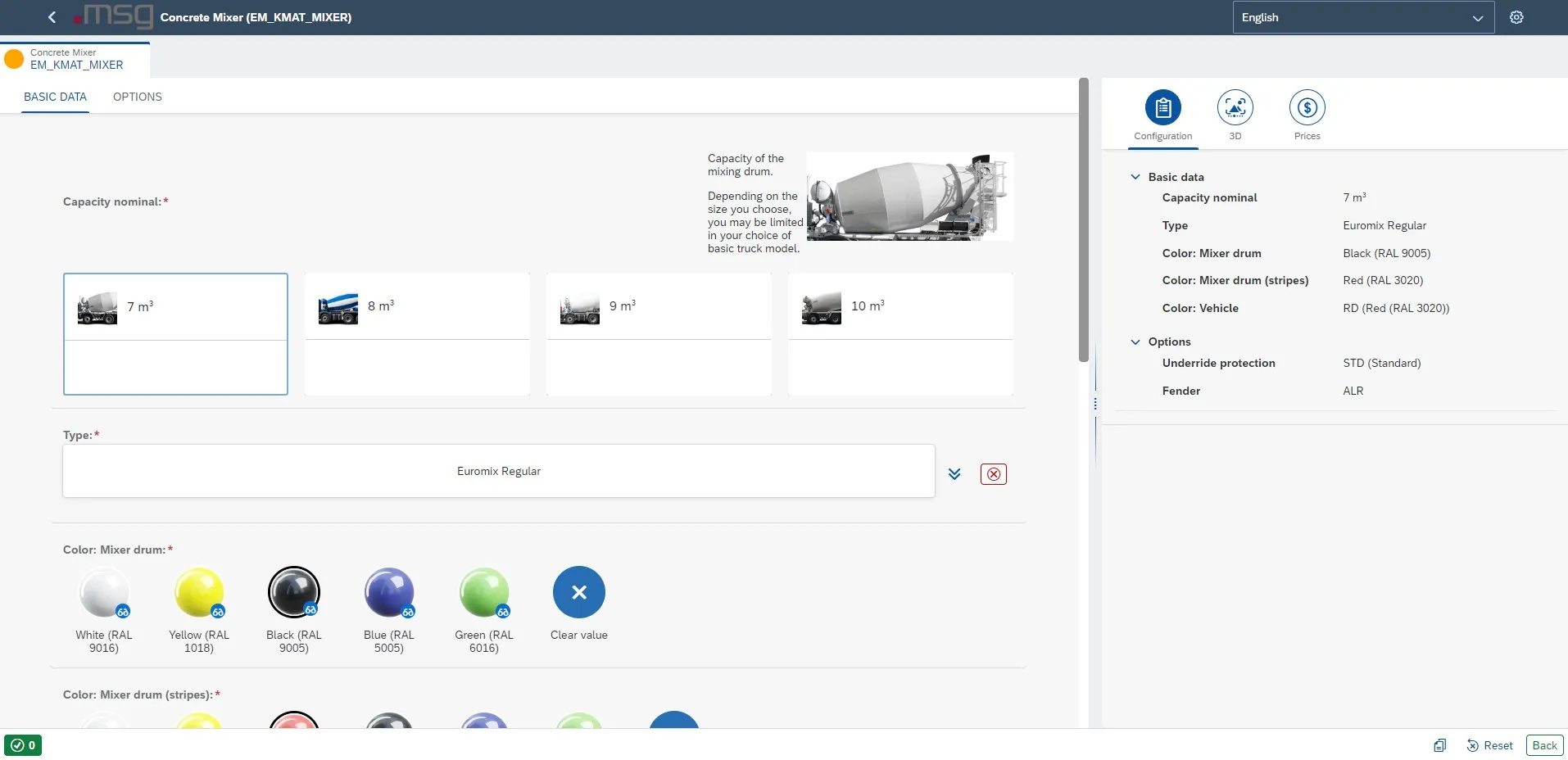
msg.Variant CoFE – Display Configuration
In this way, you click through the configuration. When this is complete, you will no longer see a warning message in the lower area via the  green icon.
Once the configuration is ready and complete, you can save it. You can change each configuration at any time.
Sidebar
When selecting the layout with sidebar, you can include the following three tabs.
-
Configuration: Contains the valuated characteristics and their values. The order of the characteristics corresponds to the grouping described in 6.2.2.
-
3D: Display of the 3D integration. The tab is only available when the add-on TVC-3D has been installed and when 3D has been activated for the configurable material in Customizing.
-
Prices: Displays the calculation for the configurable material. You can adjust scope and display in the Header Data.
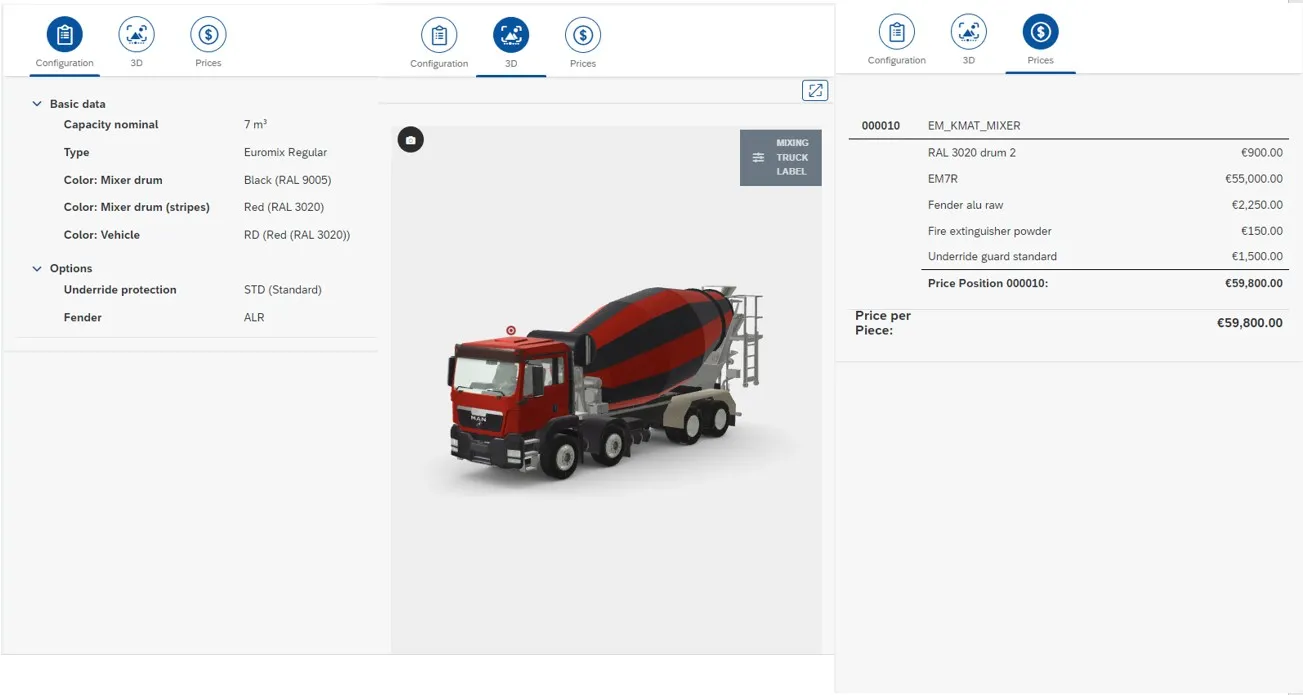
All Tabs of the Sidebar